
Install Product Recommender on BigCommerce
BigCommerce merchants can use Product Recommender by installing the app from BigCommerce app store.
Demo Store
View demo store to see the widgets live in BigCommerce store.
Setup OnVoard Apps
OnVoard has all-in-one plans for merchants to use all our apps under 1 subscription. You can explore guides below to setup each of OnVoard apps.
Prerequisite: Syncing Products and Orders Data
After installing, OnVoard will automatically import your products and orders data in the background. Depending on the number of records, it take anywhere from a few minutes to days for records to be fully imported. If your store have > 100,000 products, import will definitely take more than 1 day.
Check Imported Products
You can go to products page to view imported products.
Initial Setup
While the records are importing, you can still setup product recommender. For initial setup, we suggest creating Recently Viewed as your first recommender to see how things work.
Why Recently Viewed? Recently viewed logic doesn't require orders data to be imported before it can generate meaningful recommendations. Also, recommendations build time for recently viewed is very fast.
What happens if recommenders are created before data gets fully synced?
Our system will use available records to generate recommendations model and update it periodically.
Setup Product Recommender
Go to recommenders page and add a new recommender.
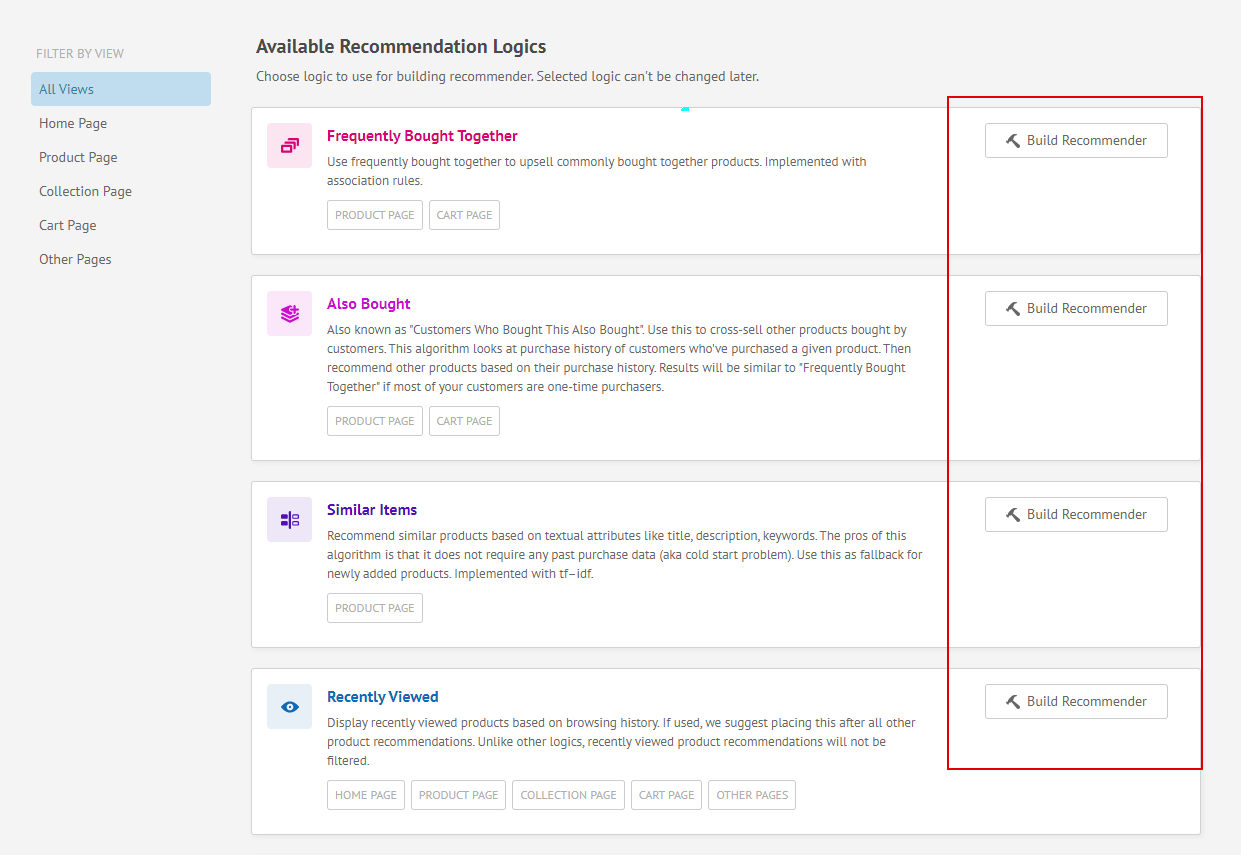
Select recommendation logic to use. Keep in mind that selected logic can't be changed later.
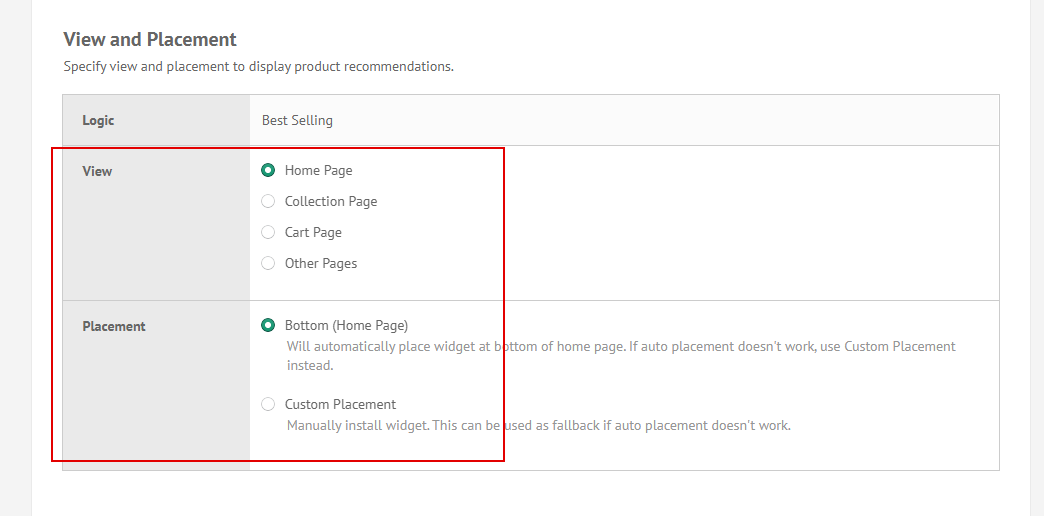
Locate Settings > View and Placement . Specify view and placement to display recommendations widget. Once that is done, customize the rest of the styles and config based on your preference and click Submit to create recommender. It may take a few minutes for new recommenders to be installed in your store.
Placement Options
Home Page - Display on home page.
Product Page - Display on product page.
Collection Page - Display on collection page.
Cart Page - Display on view cart page.
Other Page - Use this if you want to add recommender widget manually with snippet.
Add Cart Popup
This is an exclusive spot specially designed for BigCommerce merchants to boost add cart upsell.
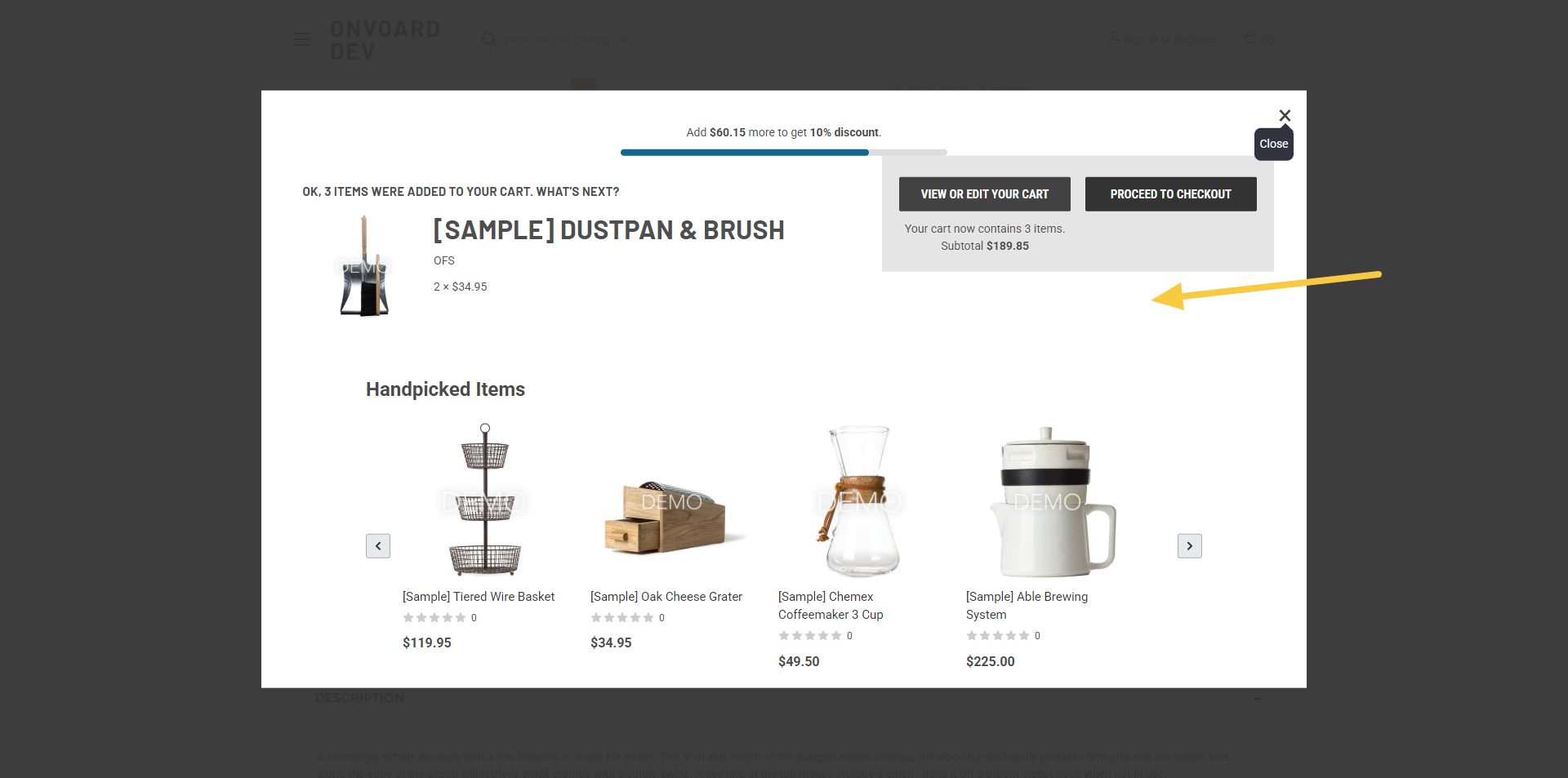
Display inside the add to cart popup that appears after a shopper adds an item to cart.
Email - Generate product recommendations to use in OnVoard emails. Recommender will only be used for generating product recommendations. Styles will be handled by email editor.
ActionPop - Use recommender in OnVoard ActionPop popup. Recommender will only be used for generating product recommendations. Styles will be handled by ActionPop app.
Fallback - Use recommender as fallback for another recommender.
Build Recommendations Model
Our system will automatically build recommendations model for created recommender. Most recommendations model should be completed within a few minutes.
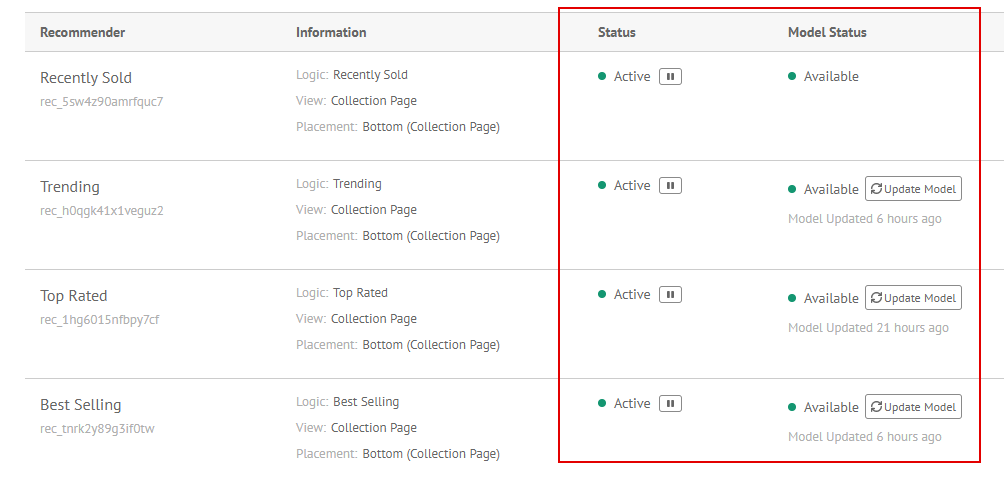
Recommender widget will be live when you see green ticks for both Status and Model Status.
Need help installing?
If you need additional help to install, you can contact us.
