
How to exclude customers from reperks program?
There are 3 ways you can exclude customers from reperks program.
Specify Exclusion Tags
You can exclude customers from reperks program by specifying tags. Keep in mind that tags refers to customer tags on ecommerce platform, not contact tags in OnVoard.
To specify exclusion tags, go edit merchant settings.
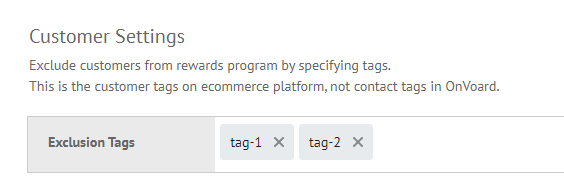
Locate Customer Settings and specify your exclusion tags.
Update Individual Member Status
Another approach is to go to members page.
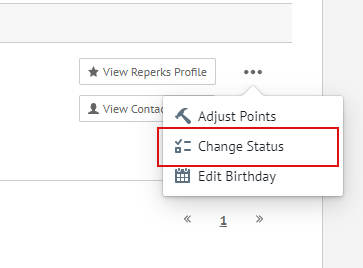
Select member status to update and mark it as Excluded.
Bulk Update via CSV
For this approach, you will upload a csv file with email column to bulk update members status to excluded. Go to imports job page and add a new import job.
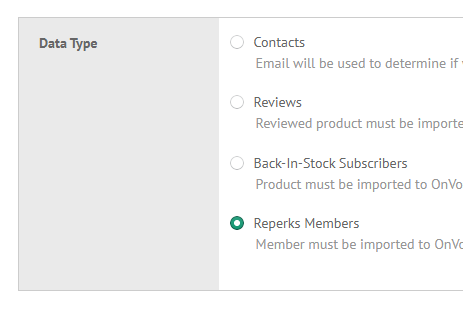
Select Reperks Members for Data Type and attach csv file for import.
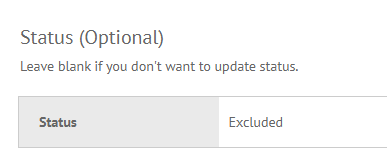
Under Status section, select Excluded. Next, you can import to bulk update.
