
Install Reviews Widget on BigCommerce Product Page
Follow instructions below to install reviews widget on BigCommerce Product Page.
To start, go to reviews widget page and add reviews widget.
Demo Store
View demo store to see the widgets live in BigCommerce store.
Placement Options
Product Page (Auto) - Select this if you want OnVoard to automatically place widget at product page. We will place snippet at bottom of product page.
Product Page (Selector) - Use placement tool to visually insert widgets into your site without any technical work. See guide for selector placement.
Custom Placement - Manually install widget. Use this as fallback if all other placement methods doesn't work.
Custom Placement
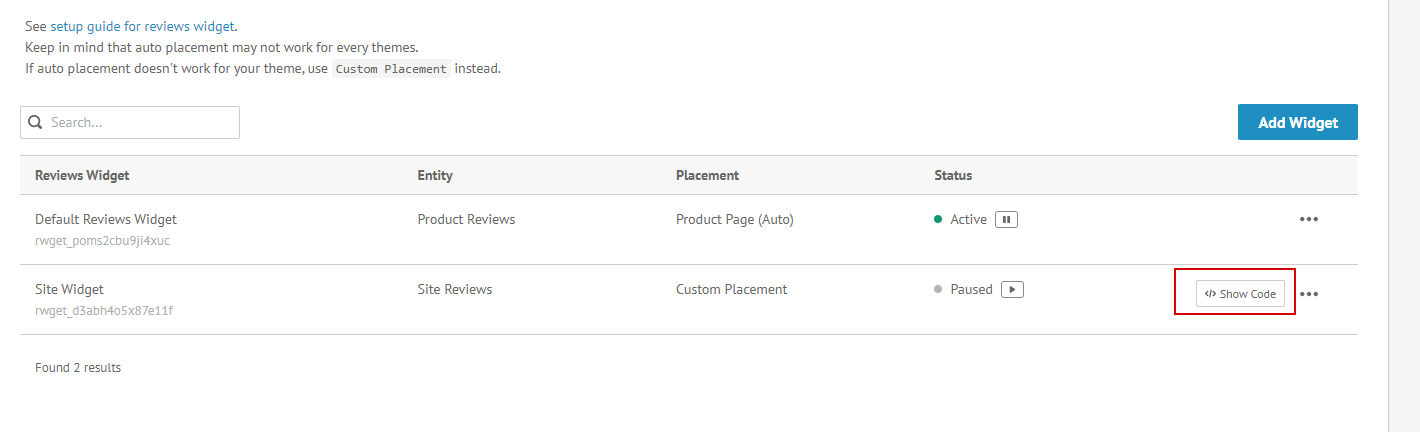
Click Show Code to get widget snippet. Snippet should look something like this:
<div
 class="ov-app ov-app-reviews-widget"
 data-app-id="REVIEWS_WIDGET_ID"
 data-app="reviews-widget"
 data-product-external-id="{{ product.id }}">
</div>
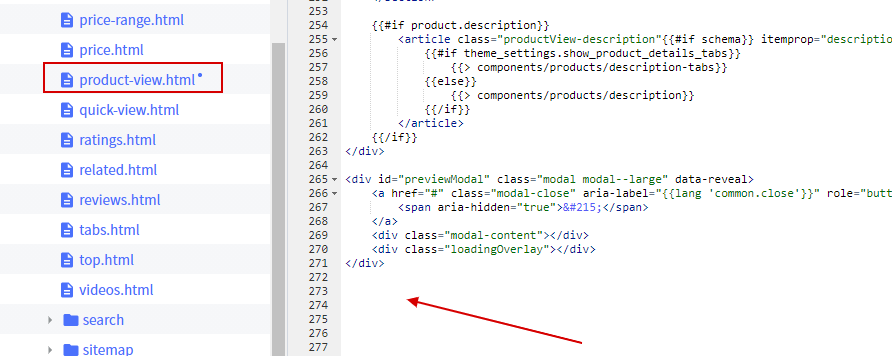
Next, edit BigCommerce theme and locate product view:
templates/components/products/product-view.html
You can place reviews widget snippet at the bottom of the file.
Reviews widget not showing for some products?
Go to products page and check if product has been imported to our system. If product has not imported, we won't display reviews widget.
Need help installing?
If you need additional help to install, you can contact us.
