
Sync Shopify Back In Stock Metafields
For Shopify merchants, you can sync back-in-stock metafields to each product variant:
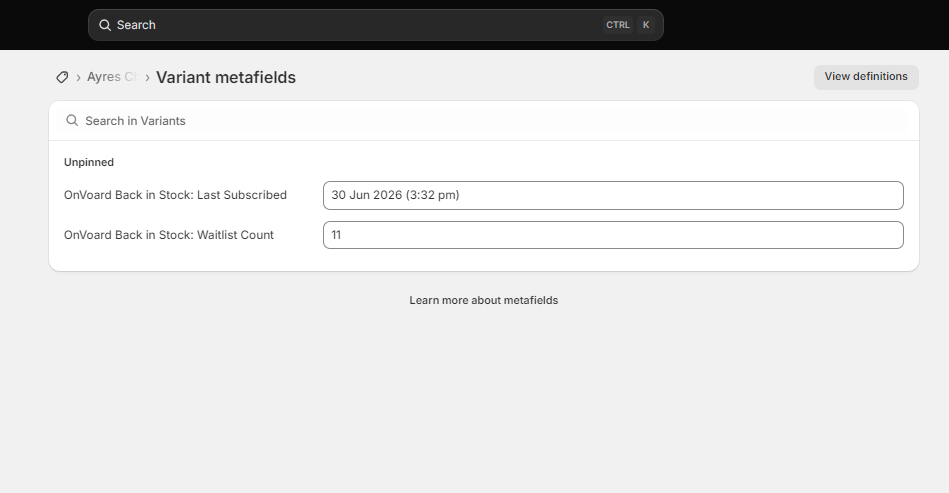
Waitlist Count
Desc: Number of subscribers waiting for that variant.
Metafield: variant.metafields.onvoard.bis_waitlist_count
Field type: Integer
Last Subscribed At
Desc: Number of subscribers waiting for that variant.
Metafield: variant.metafields.onvoard.bis_last_subscribed_at
Field type: Datetime
Auto sync back-in-stock metafields
Go to back in stock config page and turn on Sync Metafields. If this is turned on, we will update product variant's metafields whenever a user subscribes or is notified.
Sync metafields for existing products
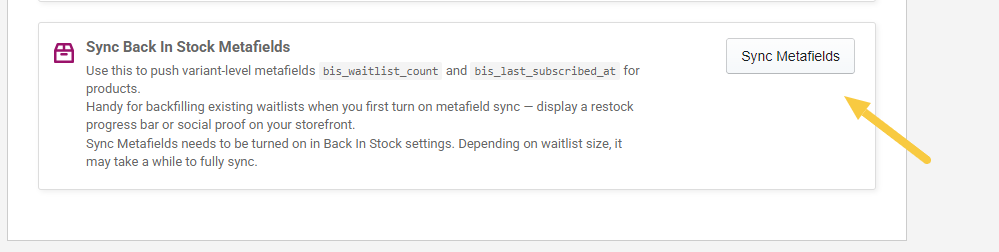
To sync metafields for all existing products, go to Shopify actions page and click Sync Metafields.
How to use these metafields?
You can use these metafields to create social proofs for BIS demand. For example, restock progress bar or display number of users in waitlist. Keep in mind that customizing widgets with metafields requires technical work and coding.
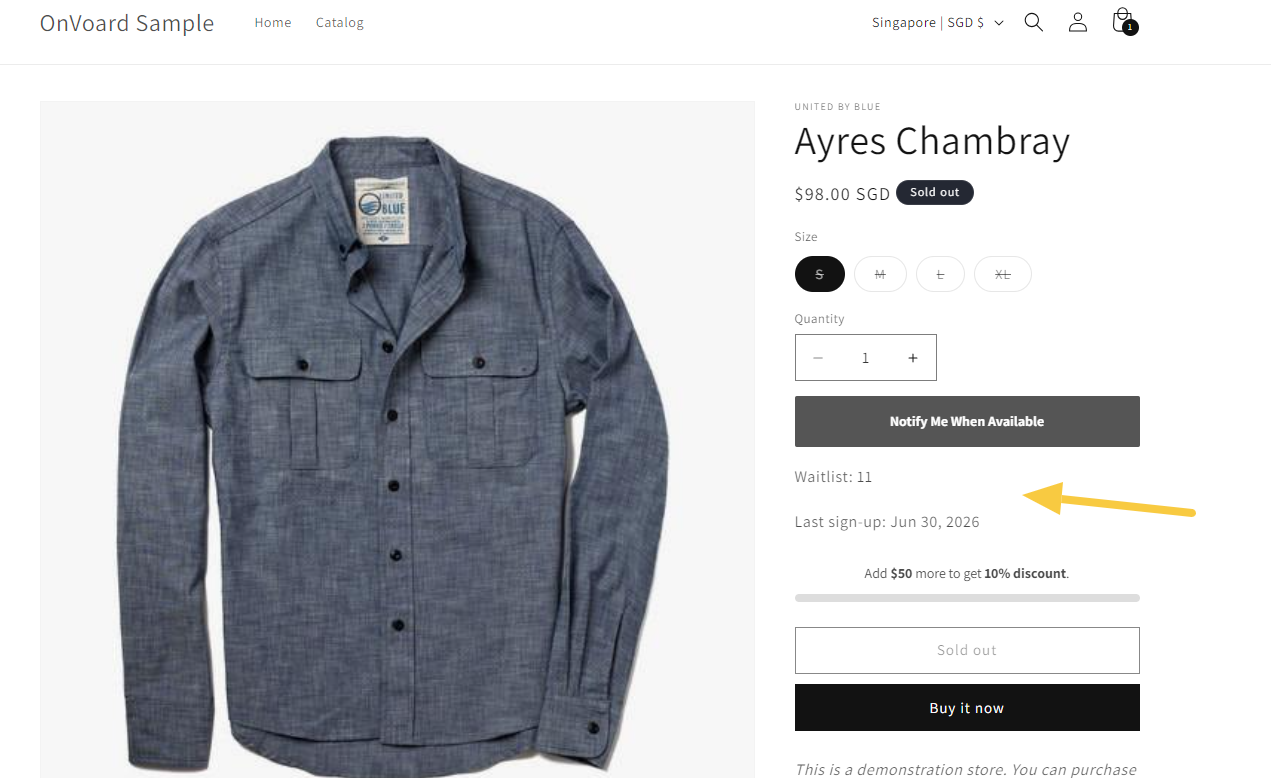
How to view the OnVoard Synced Metafields in Shopify Admin?
Ok this is not very obvious but first you have to go to Shopify admin and select the product variant.
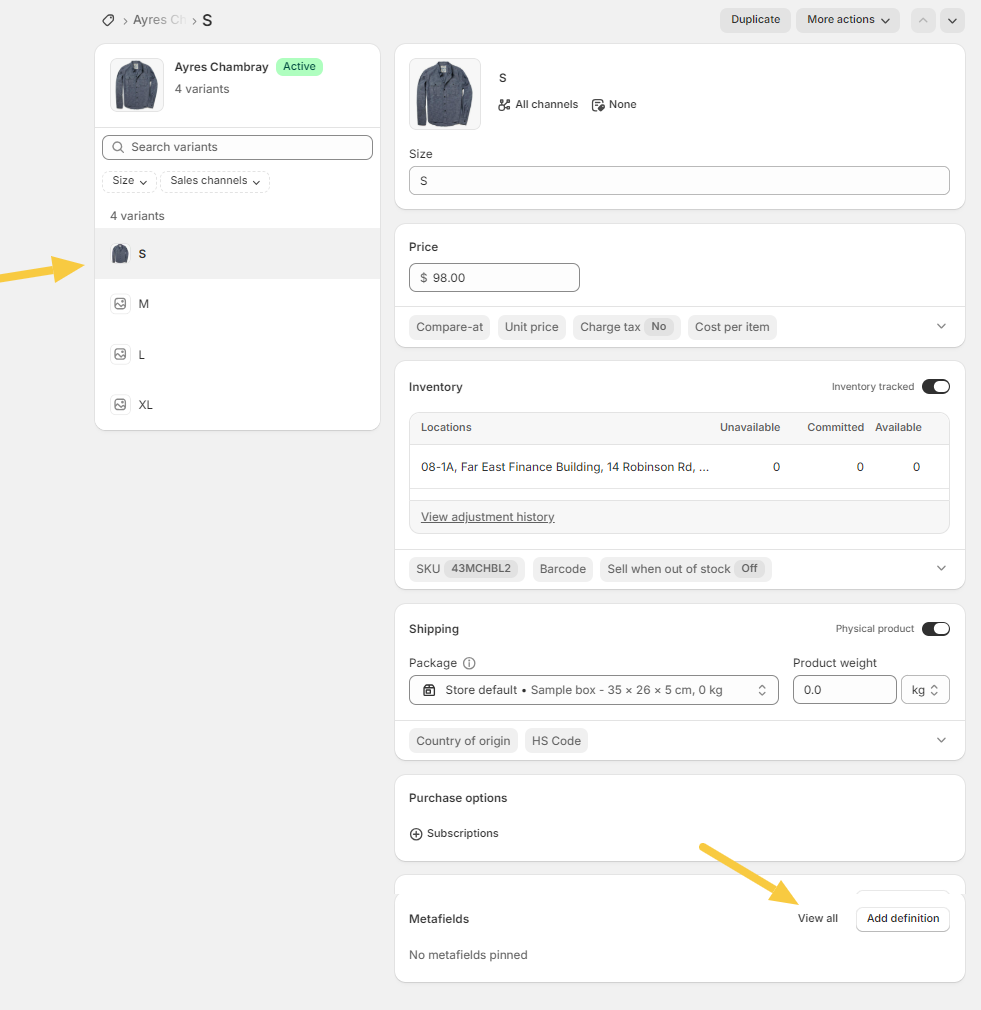
And when you scroll to bottom under Metafields, it will show nothing by default.
That's because you need to add it as definition. You need to click View All.
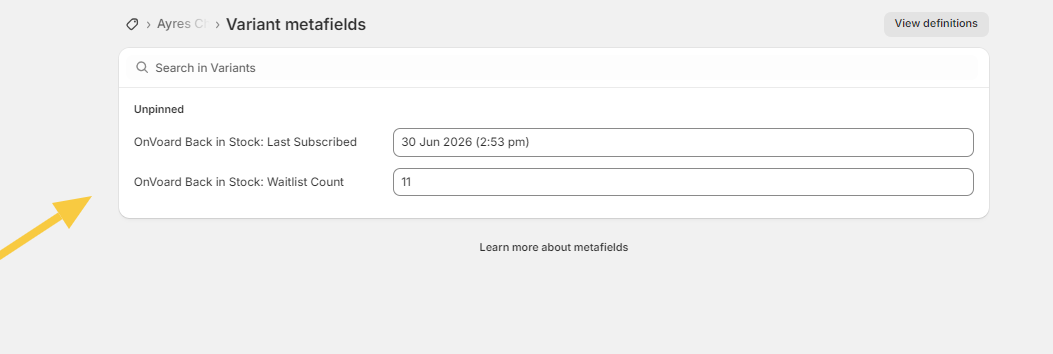
After that you should see the variant metafields. And you can click View definitions to pin them.
