
Conditional Rendering for Email Content
Conditional rendering lets a block, or a whole row, show only to the people you choose. One email, one send, but different readers see different content.
The best use: show each person the products they abandoned at checkout, or the ones they bought before. Inside the newsletter you already send.
Conditional rendering on a block or row
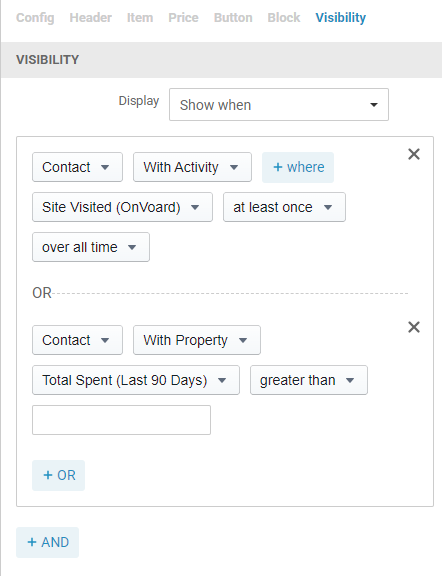
Select a block and open Visibility in the sidebar. For a whole row, select the row and open its Visibility tab.
Set Display:
Always show. The default. Everyone sees it.
Show when. Only people who match your rule see it.
Hide when. People who match your rule don't see it.
Then build the rule. It's the same builder you use for segments and workflows, so you can match on a property, an activity, a list, a segment or a tag.
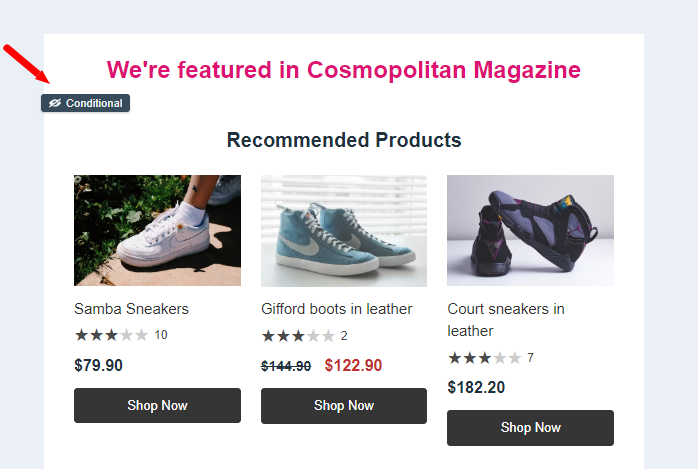
Blocks with a rule get a Conditional tag, so you can see which ones aren't shown to everybody.
Conditional product recommendations
Combine it with a Product List block set to Formula, and each person sees products picked for them.
Only show abandoned checkout items to recipients who left one behind
These are your highest-intent shoppers. They picked the items and got as far as checkout, so showing them those exact items is the easiest sale in the email.
Product List block, Formula, Abandoned Checkout.
Visibility, Show when, checkout started recently with no order after it.
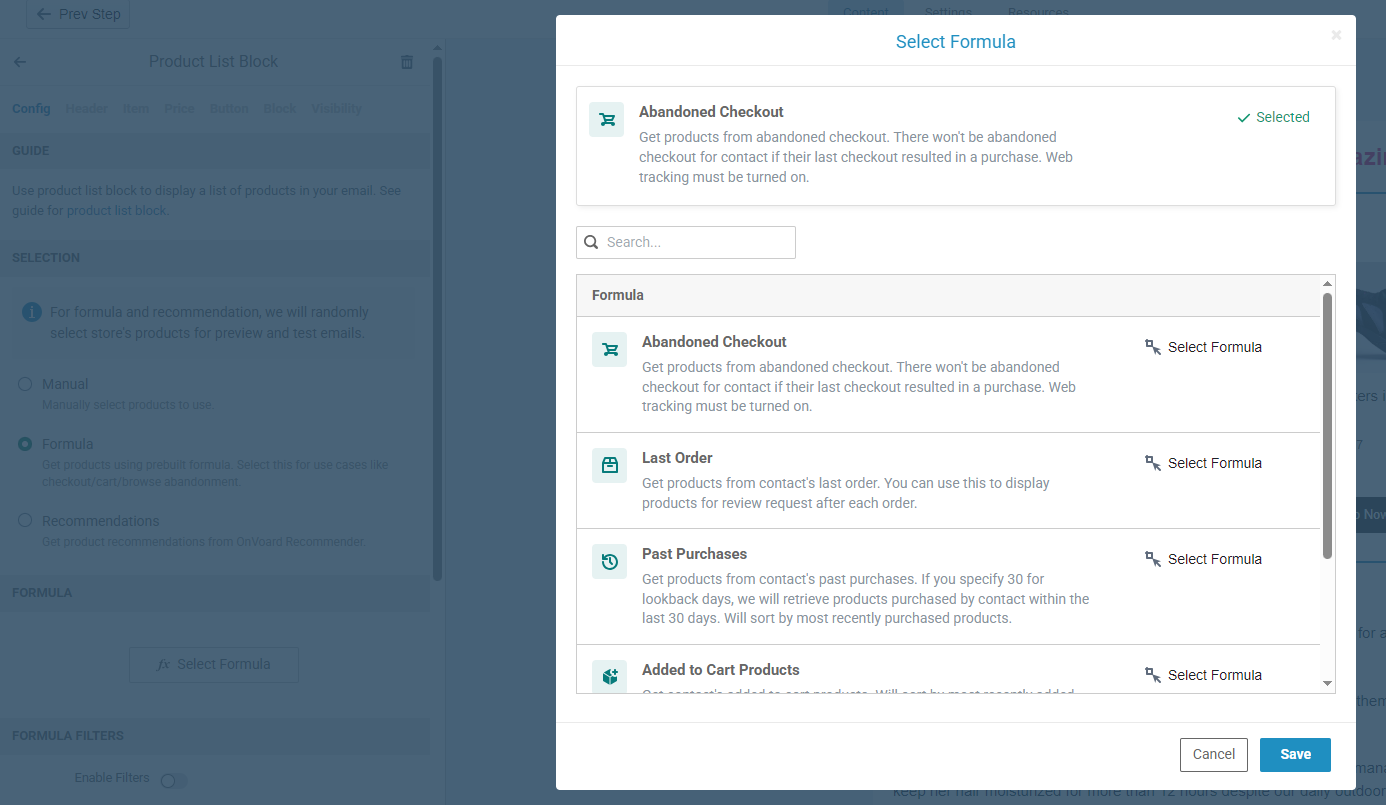
If their last checkout ended in a purchase, the formula returns nothing, so you won't chase someone who already bought.
Only show past purchases to recipients who've bought before
Customers repurchase what they already liked. It's why Amazon puts a "buy it again" row in front of you, and it's the easiest revenue in your list, because there's no persuading left to do.
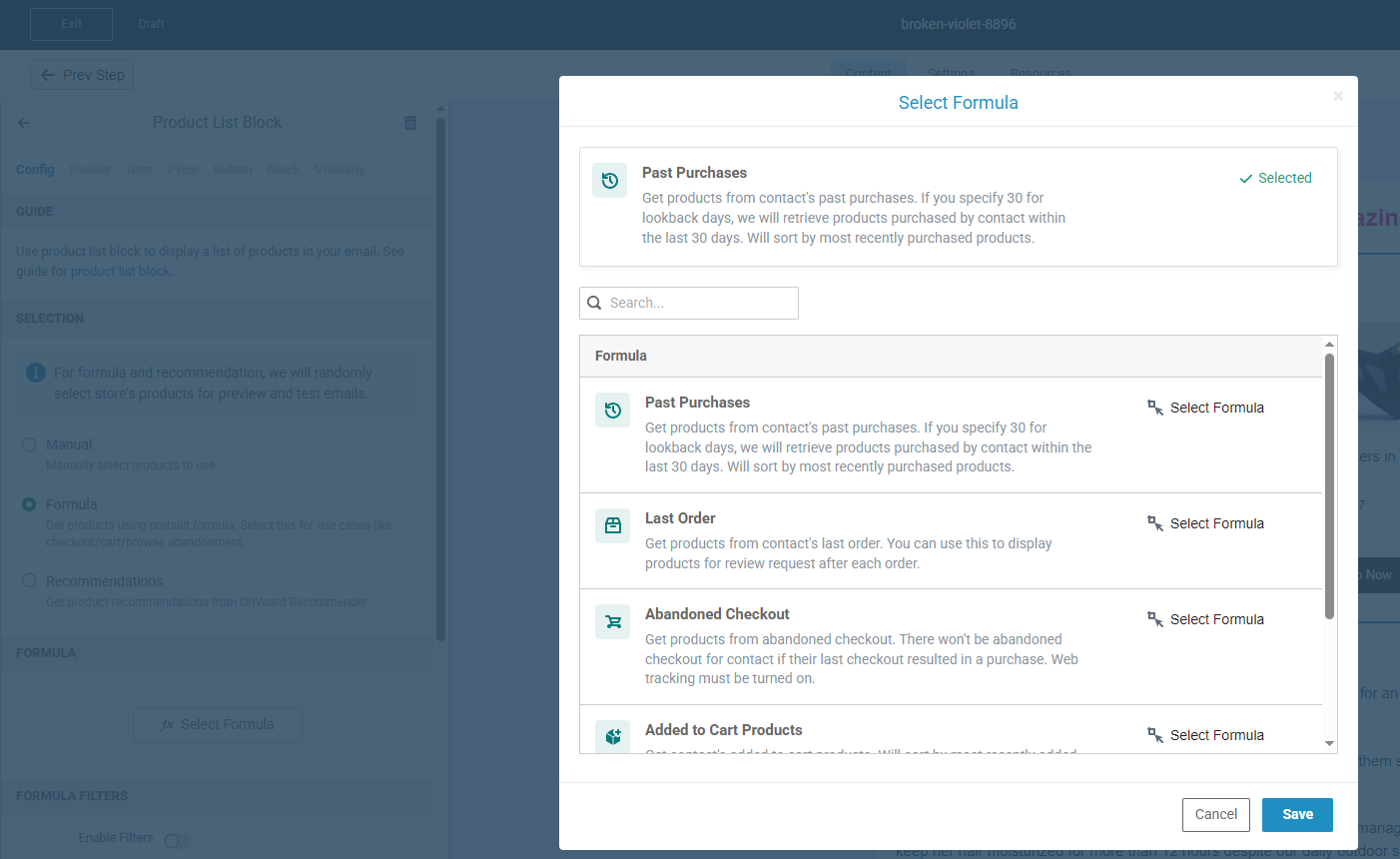
Product List block, Formula, Past Purchases. Set lookback days to match how long your product lasts, so a consumable comes round in 30 days and something durable in a year.
Visibility, Show when, Num Valid Orders greater than 0.
That second rule is the one doing the work. It limits the block to people who have actually bought something, so anyone who never ordered doesn't get an empty section. Raise the number above 0 if you only want repeat customers.
Only show cart items to recipients with something still in the cart
A full cart is a decision they haven't finished. Added to Cart Products shows what's in it, so pair it with the cart activity and your newsletter handles cart recovery too.
Only show viewed products to recipients who browsed without buying
They were interested enough to look. Viewed Products shows what they were looking at, paired with the product viewed activity.
Only show the last order to recipients who just ordered
Reviews come easiest right after delivery. Last Order shows only their most recent order, which makes it the right block for a review request.
Recommend related products instead
Set the block to Recommendations with a base of Contact Activities and you get products related to what they viewed or bought. That's your "you may be interested" row.
Note: abandoned checkout, cart and viewed formulas need web tracking turned on. Without it the block is empty.
Showing content to eligible recipients
A conditional block belongs in the emails you already send. Put a birthday offer in your regular newsletter and only the people with a birthday coming up see it. No separate campaign, no separate list.
Only show the birthday offer to recipients with a birthday coming up
Days Until Next Birthday is the rule. Leave the block in every email you send and it reaches the handful of people it applies to that week.
Hide the discount from your best customers
They'd buy without it. Set the coupon block to Hide when Total Spent (Last 365 Days) greater than your number. They still get the email, you keep the margin.
Only show the win-back offer to recipients who haven't bought in 90 days
Total Spent (Last 90 Days) equal to 0 is the rule. Everyone else sees a loyalty thank-you in the same slot.
Only show first-order content to recipients who've never bought
Num Valid Orders equal to 0. Show them your bestseller and your guarantee, and show existing customers something else.
Only show the review request to recipients who bought recently but haven't reviewed
2 conditions. Last Order Placed At inside your delivery window, and Last Reviews Submitted At not set. Ask while the product is still new to them, and skip the people who already wrote one. Your reviewers see a referral offer in the same spot instead.
Only show the duty note to recipients in the EU
Country and Is from EU put the right shipping cutoff or duty note in each market's copy. One email covers all of them.
Only show the points balance to loyalty members
Is Reperks Enrolled splits the block in 2. Members see their balance, everyone else sees the join pitch.
Only show the confirm link to recipients who never opted in
Match on Email Double Opt-in Status.
Reuse a segment, list or tag you already built
The rule can match one directly. Update it later and every email using it follows.
Previews and test sends
A preview has no recipient, so every conditional block shows, and test sends do the same. What you see there isn't what your list will get.
To check a rule, look at who matches it, the same way you'd check a segment.
What happens if a conditional rule breaks?
The block shows. We made it fail open so that a broken rule never drops content from your email silently. Worst case, someone sees a block that wasn't meant for them.
A block set to Show when or Hide when needs at least one condition before it will save.
What's Next
Start with the abandoned checkout block, because it's the one that pays for itself fastest.
