
Adjusting and Downgrading All-In-One Plan
You can change your active contacts and email sending at any time.
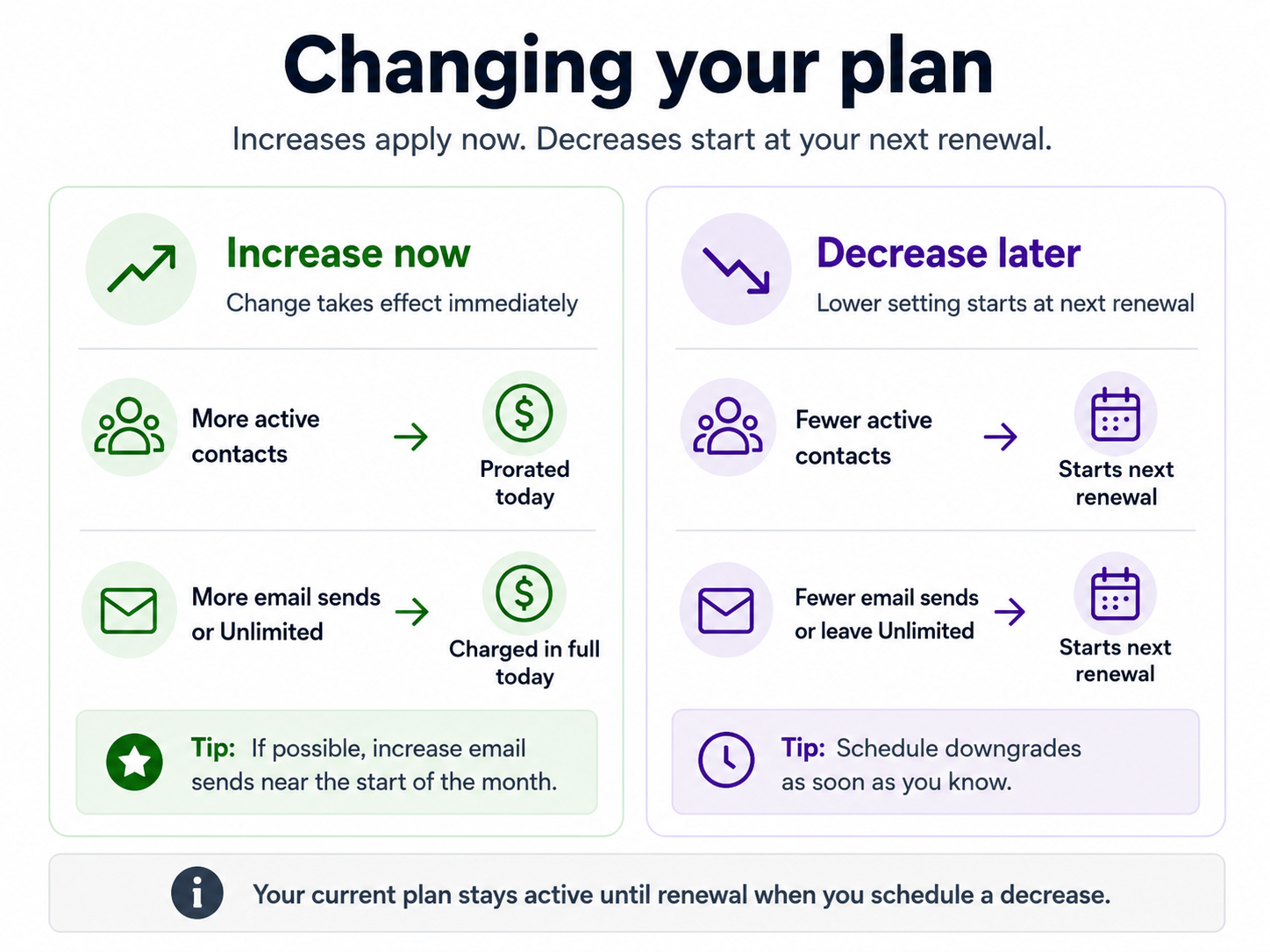
Increases take effect immediately. Decreases start at your next renewal.
Before increasing a plan mid-month, check what you're changing. Active contacts and email sending are charged differently, so the timing can affect how much value you get from the change.
Best time to change
A useful rule is:
Change | Best approach |
|---|---|
More email sends | If possible, increase near the start of the month |
Unlimited email | If possible, switch near the start of the month |
More active contacts | Increase when needed, but check the added email cost too |
Fewer contacts or sends | Schedule the decrease as soon as you've decided |
One-off email increase | Consider using your Sending balance instead |
Increase one, decrease another | Check both the current-cycle and renewal prices before confirming |
The reason is simple: added email sending is not prorated.
Email upgrades
When you increase your email allowance, the additional email capacity becomes available immediately and its monthly price is charged in full.
This is different from active-contact pricing.
If you increase your email setting late in the month, you're still buying the full additional monthly allowance even though there are only a few days left before the allowance refreshes on the 1st.
So if the increase is planned, make it near the beginning of the month when possible.
The same advice is especially useful for Unlimited. Switching to Unlimited near the end of the month gives you Unlimited immediately, but you still pay the full additional email price for that month.
If you need the capacity right away, you can still upgrade at any time.
One-off extra sends
For a temporary spike, increasing the plan isn't always the cheapest choice.
Extra sends beyond your included allowance can use your Sending balance. If you only need a small number of additional sends, paying for the sends you actually use may cost less than buying another full monthly allowance.
This is particularly worth checking near the end of the month.
See Usage Charges for Email Sends for details.
Contact upgrades
The active-contact part of an increase is prorated for the remaining days in the current period.
However, increasing your contacts can also increase your email allowance.
For example, moving from 10,000 to 15,000 active contacts while staying at 2× also increases your included email sends from 20,000 to 30,000.
The added contact cost is prorated. The additional 10,000 email sends are charged in full because they're available immediately.
This means a contact increase can include a full email charge even when you haven't changed the email setting.
If you're on Unlimited, increasing your contacts also increases the price of Unlimited for the current cycle.
If the extra contacts aren't needed immediately, waiting until the start of the next month can give you better value from the additional email capacity.
Plan downgrades
Decreases don't remove capacity you've already paid for.
If you lower your contacts or email setting, the current plan stays active until your next renewal. The lower setting starts after that.
Nothing is refunded for the current period because you keep the current capacity until it ends.
There's usually no reason to wait before scheduling a downgrade. If you already know you'll need less capacity next month, schedule it now so you don't forget.
If you change your mind before it takes effect, go to Billing Overview and choose Keep current plan or Keep Unlimited, depending on the scheduled change.
Mixed plan changes
Be more careful when increasing one setting and decreasing another.
Suppose you currently have 15,000 active contacts + Unlimited email and change it to 20,000 active contacts + 1× email.
The contact increase takes effect immediately, while the email decrease waits until renewal.
That means your plan temporarily becomes:
This cycle: 20,000 active contacts + Unlimited email
From renewal: 20,000 active contacts + 1× email
Because Unlimited is still active this cycle, its price is calculated using the new 20,000-contact capacity.
The plan-change screen shows the price for this cycle separately from the price that starts at renewal. Check both before confirming.
If you don't need the additional contacts immediately, waiting until renewal before increasing them can avoid paying for the larger contact tier while the higher email setting is still active.
Before confirming
For any mid-cycle change, check 3 things on the plan-change screen:
What will be active for the rest of this cycle
What you're being charged today
What plan and price start at renewal
Pay particular attention when increasing contacts, increasing email sending or switching to Unlimited. Those are the changes where buying capacity late in the month can give you less time to use what you've paid for.
Shopify billing
If your subscription is billed through Shopify, Shopify calculates the billing adjustment when you approve the change.
The same plan timing still applies: increases become available immediately and scheduled decreases begin at renewal.
