
Guide for BigCommerce Merchants (Marketing Platform)
This guide is a walkthrough on how BigCommerce merchants can setup OnVoard Marketing Platform. BigCommerce merchants can use OnVoard Marketing Platform by installing the app from BigCommerce app store.
Demo Store
View demo store to see the widgets live in BigCommerce store.
Setup OnVoard Apps
OnVoard has all-in-one plans for merchants to use all our apps under 1 subscription. You can explore guides below to setup each of OnVoard apps.
After your store is connected, OnVoard will automatically sync the following data from your store.
Customers
Subscribers
Products
Depending on the number of records you have, you may take up to a few hours for data to be fully synced.
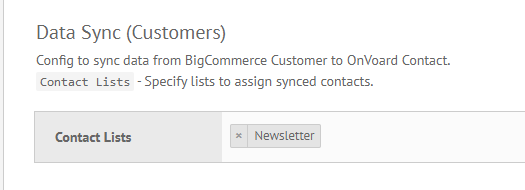
We will automatically create a contact list Newsletter for new accounts. This is the main list for your account. Go to Bigcommerce Settings page. The default settings will automatically add synced contacts to Newsletter list. This setup allows you to have a readily available audience when you need to broadcast emails.
Setup Email Profile & Domain
To send emails, you need to have at least 1 email profile.
Go to email profiles page.
If email profile if not created, follow this guide to setup email profile.
For better deliverability, we recommend setting up email domain as well.
Install Web Tracking
Setting up web tracking for your BigCommerce site allows OnVoard to retarget your store visitors based on their browsing activity. For example, you can use OnVoard to send cart abandonment email to contacts who've added cart items but didn't complete purchase. You need to turn this on to use workflows like browse abandonment, low stock, price drop, etc.
See how to install web tracking on BigCommerce site.
Use Workflows to Automate Marketing
Go to workflow playbooks and explore present workflows. We have more than 15 workflow playbooks you can use to automate marketing for your store. Using playbook, you can literally setup workflow within minutes.
Setup Email Campaign
Most workflows involves sending email in one way or another. See guide for setting up email.
