
Back In Stock Analytics
A restock alert earns $54 for every email delivered, more than any other email OnVoard sends. Yes, delivered! Not opens, not clicks, not lower-funnel activity.
That's 25 times the $2.16 average across every email we send, because a restock alert reaches someone who had already decided to buy.
So back-in-stock flow is a proven and profitable flow across all metrics. Then what's the challenge in optimizing back-in-stock flow? Planning your inventory and knowing the demand, and that's what these 3 reports are for.
Recovery Funnel
Head to Analytics > Recovery Funnel and pick your dates. This is your scoreboard: how many people you reached, and how many of them bought.
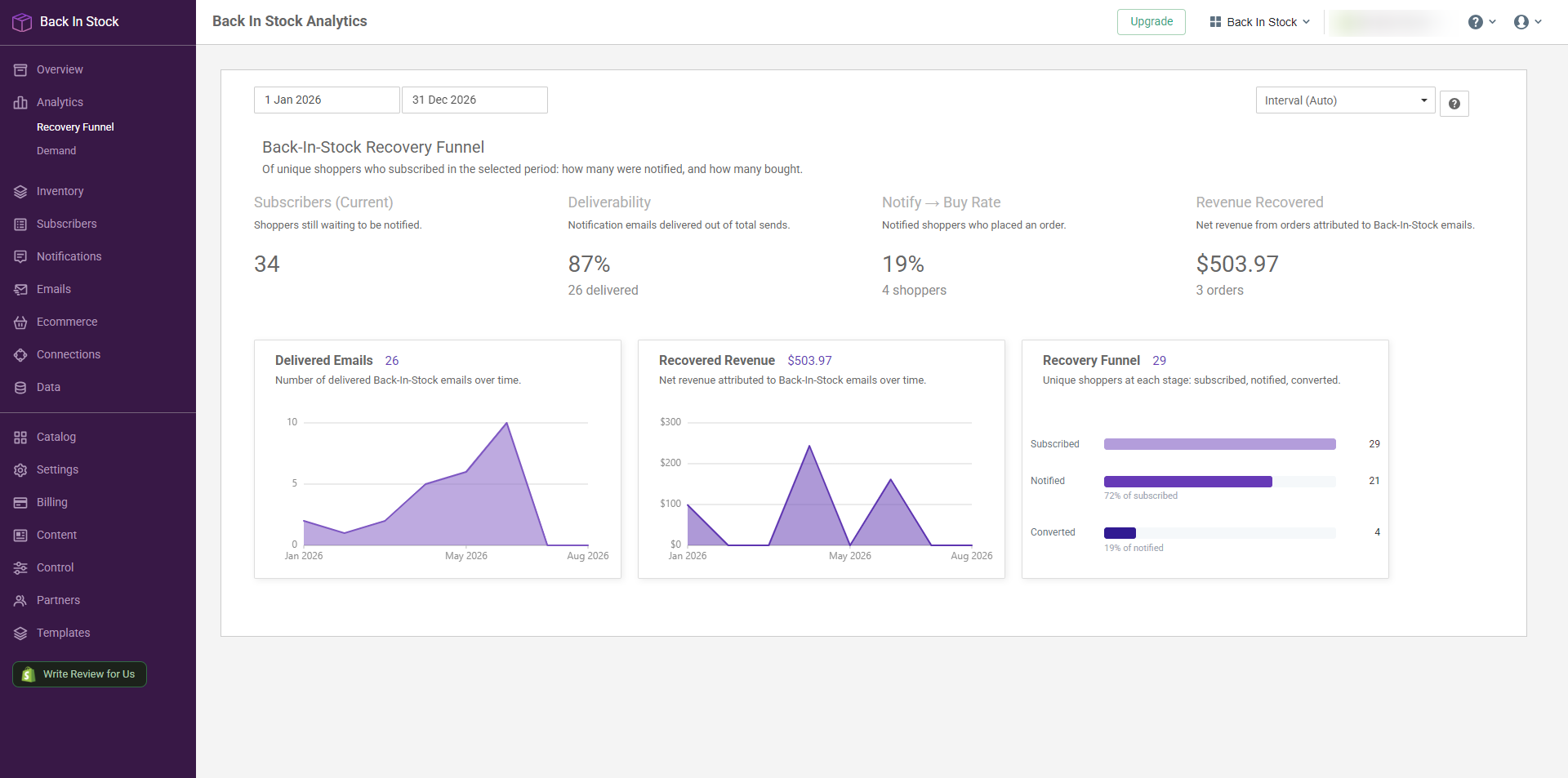
Some questions this page answers.
Are my alerts actually reaching people?
Start with Deliverability. A restock alert that lands in spam is a sale you had already earned and then lost. If this number is low, fix your sending before you touch anything else.
They got the alert and didn't buy. Why?
Once deliverability is healthy, Notify → Buy Rate is the one to work on. These are people who asked to be told, so a weak buy rate is rarely a lack of interest. It's usually price, or timing, or the item turning up after they bought it somewhere else.
Demand
Head to Analytics > Demand to find out what customers are actually asking for. Zoom into one brand, into a single product, or leave it wide and take in the whole store.
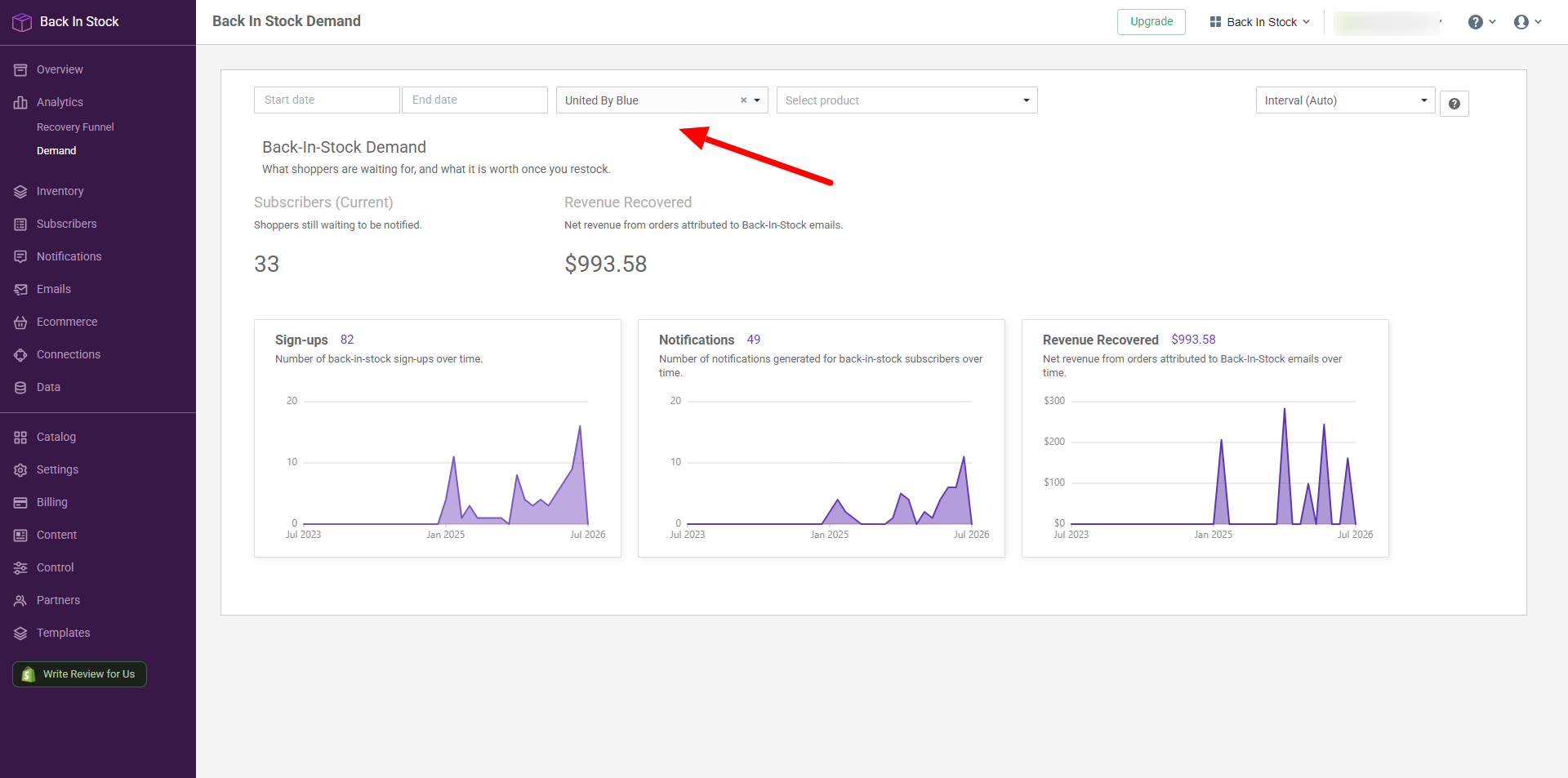
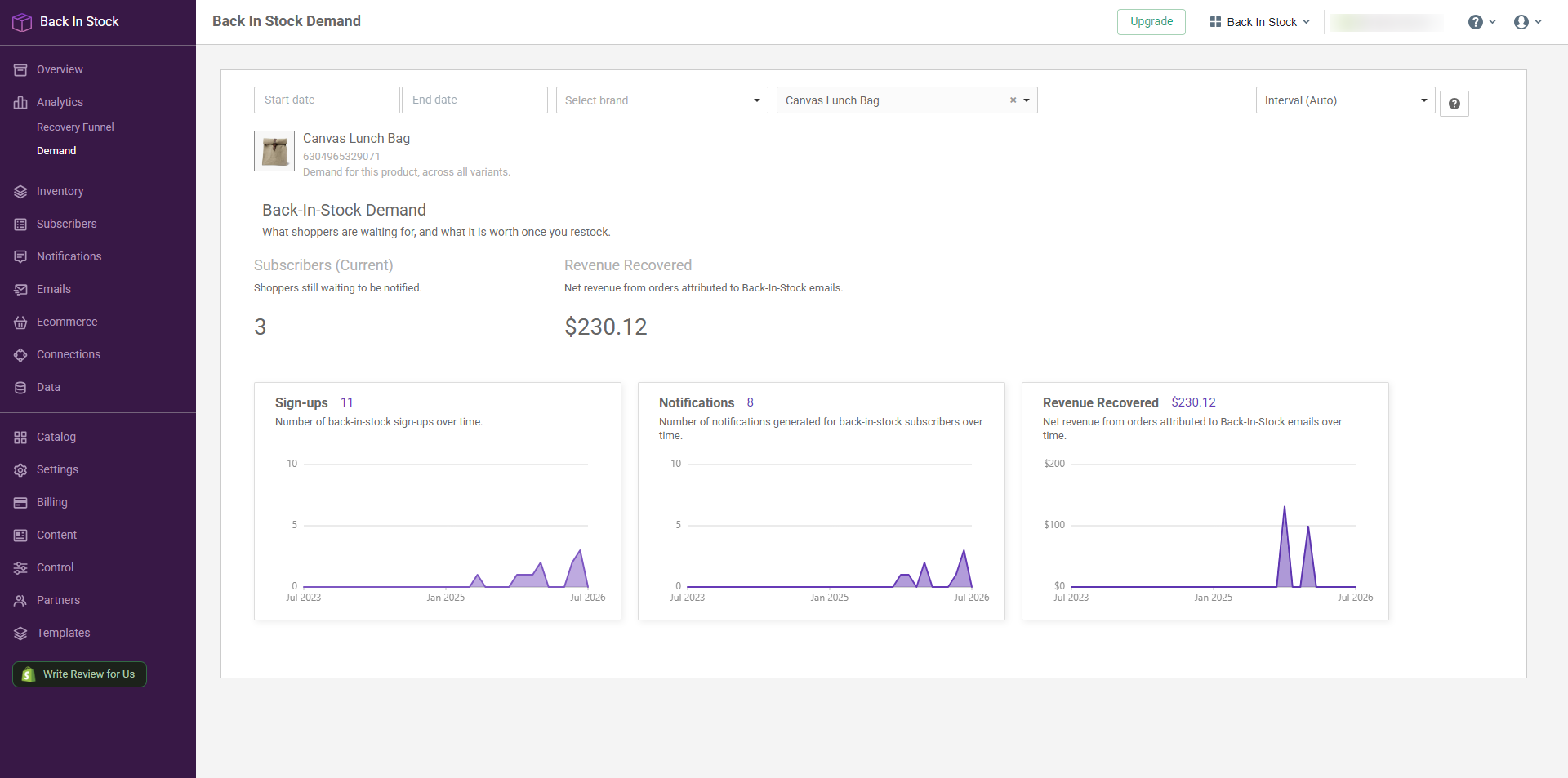
Some questions this page answers.
Is this still worth restocking, or have I missed the moment?
Read the Sign-ups chart before you read the total. A big total only tells you something sold out once. A chart that's still climbing tells you people want it today, and that's the restock worth paying for. Flat but high usually means you missed the moment, and that stock will sit.
Is this brand worth restocking?
Pick the brand and leave the product empty. The Sign-ups chart tells you if it's growing or fading, and Revenue Recovered tells you what it has paid back.
Inventory
Head to Inventory and you get everything ranked at once, right down to the size. This is the page to open before you place an order.
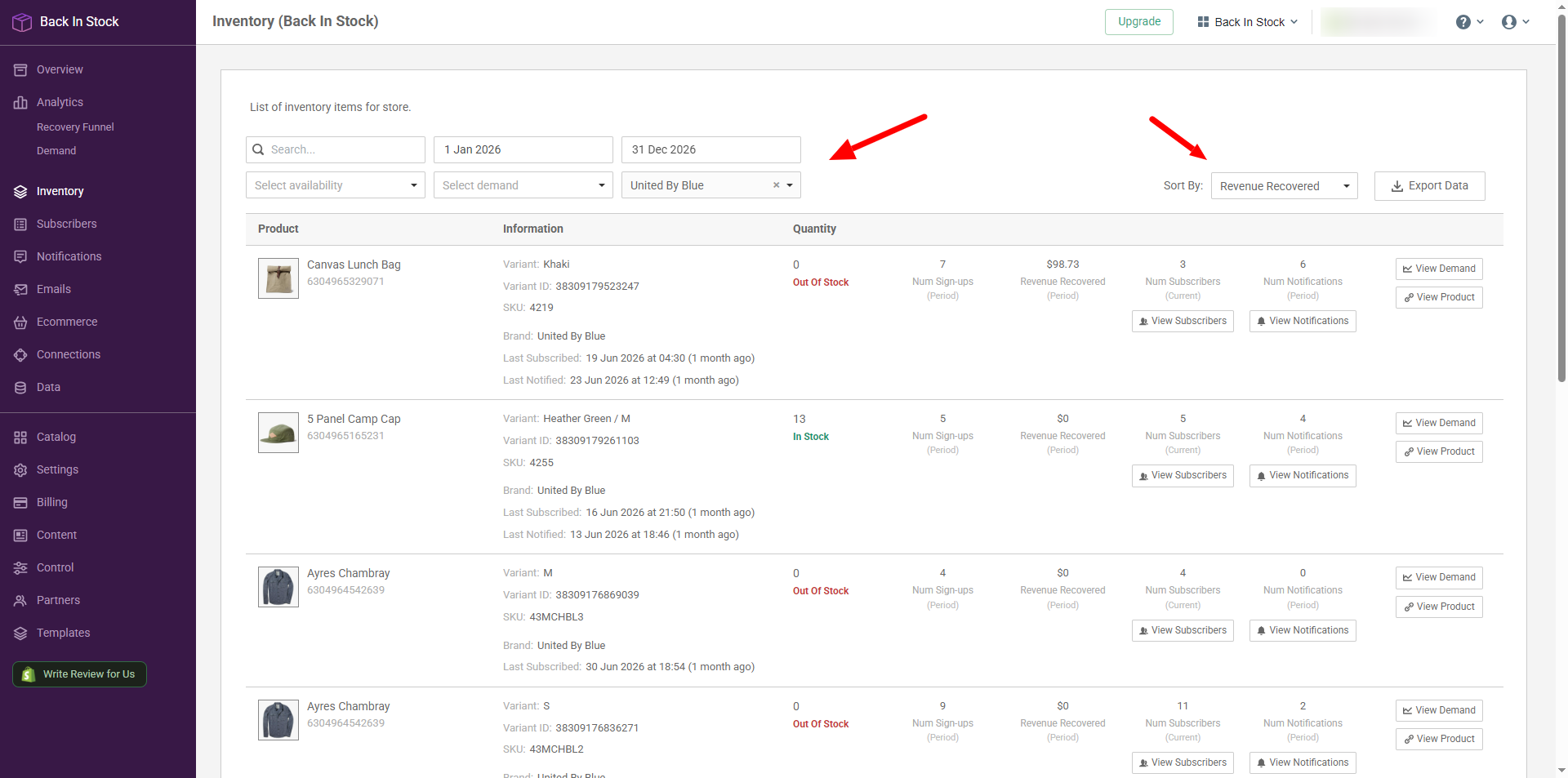
Two things worth doing before you act on a row.
Set a date range, so you are reading what people asked for recently rather than your whole catalogue with a column of zeroes down the side.
And check Last Subscribed: 40 people waiting since yesterday is live demand, 40 waiting since spring have bought it elsewhere.
Some questions this page answers.
What should I reorder first?
Filter to Out Of Stock + Has Subscribers, then sort by Num Subscribers. That's your lost sales, ranked.
Which product made me the most money this year?
Set your dates to the year and sort by Revenue Recovered. Top row wins.
Which product variant (size, color) should I order more of?
Search the product and compare its rows. Ordering the same quantity of every size is how you sell out of one and sit on another. To see the actual people rather than the number, click View Subscribers on any row.
Product is restocked, so why is anyone still waiting?
Filter to In Stock + Has Subscribers. Usually the emails are going out as you read this and the list clears itself. If a row stays put, click View Notifications to check anything was sent.
What is nobody waiting for?
Filter to No Subscribers. Worth a look before a reorder, and before a clearance.
