
Completion Filtering
Completion Filtering hides a campaign from a visitor once they've actually finished it. Once someone's given you what a campaign is worth, showing it to them again is just noise. That's the kind of noise that makes a visitor tune out your next one too.
Turn it on
In the campaign editor, find Completion Filtering and turn on Exclude Completed.
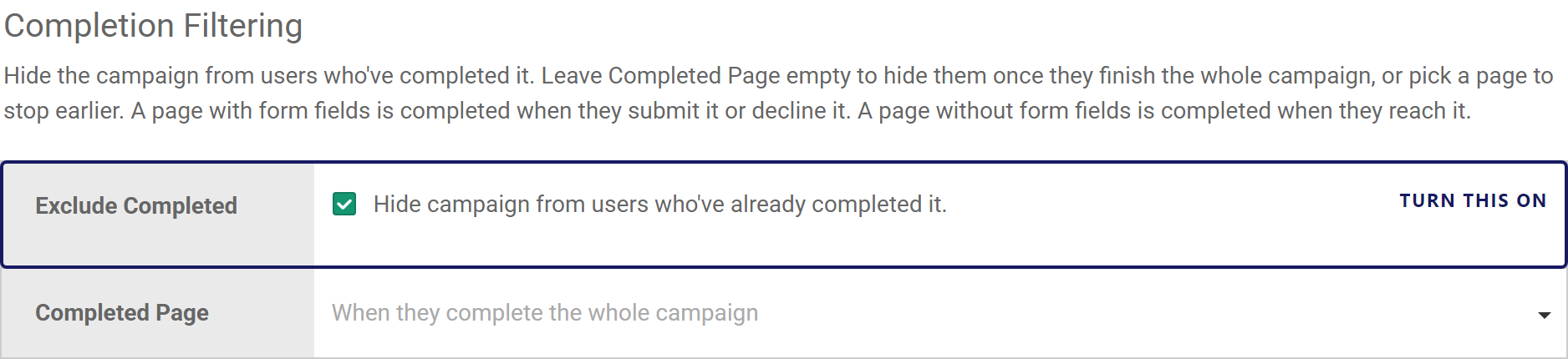
Start with the whole campaign. Pick a page only when that page gets you what you need.
Leave Completed Page empty and a visitor counts as done only once they've been through every page. Pick a specific page instead if you want an earlier finish line. Say the first capture page, if an email is all you're really after. A visitor who gave you that stops seeing the campaign, even if it has a reward or an upsell page after it.
What counts as finishing a page
A page with form fields on it, a capture page or a quiz question, is finished when the visitor submits it or actively declines it. A page with nothing to fill in is different. A reveal, a game, or an intro screen is finished the moment they reach it, since there's nothing left for them to do there.
Relevant Links
We recommend reading the following articles to further understand how you can filter who sees a campaign.
