
Phone Capture and SMS Consent
The Phone block collects a shopper's number on any ActionPop campaign page. Add a Consent block next to it and that number turns into permission to text them, on SMS or WhatsApp.
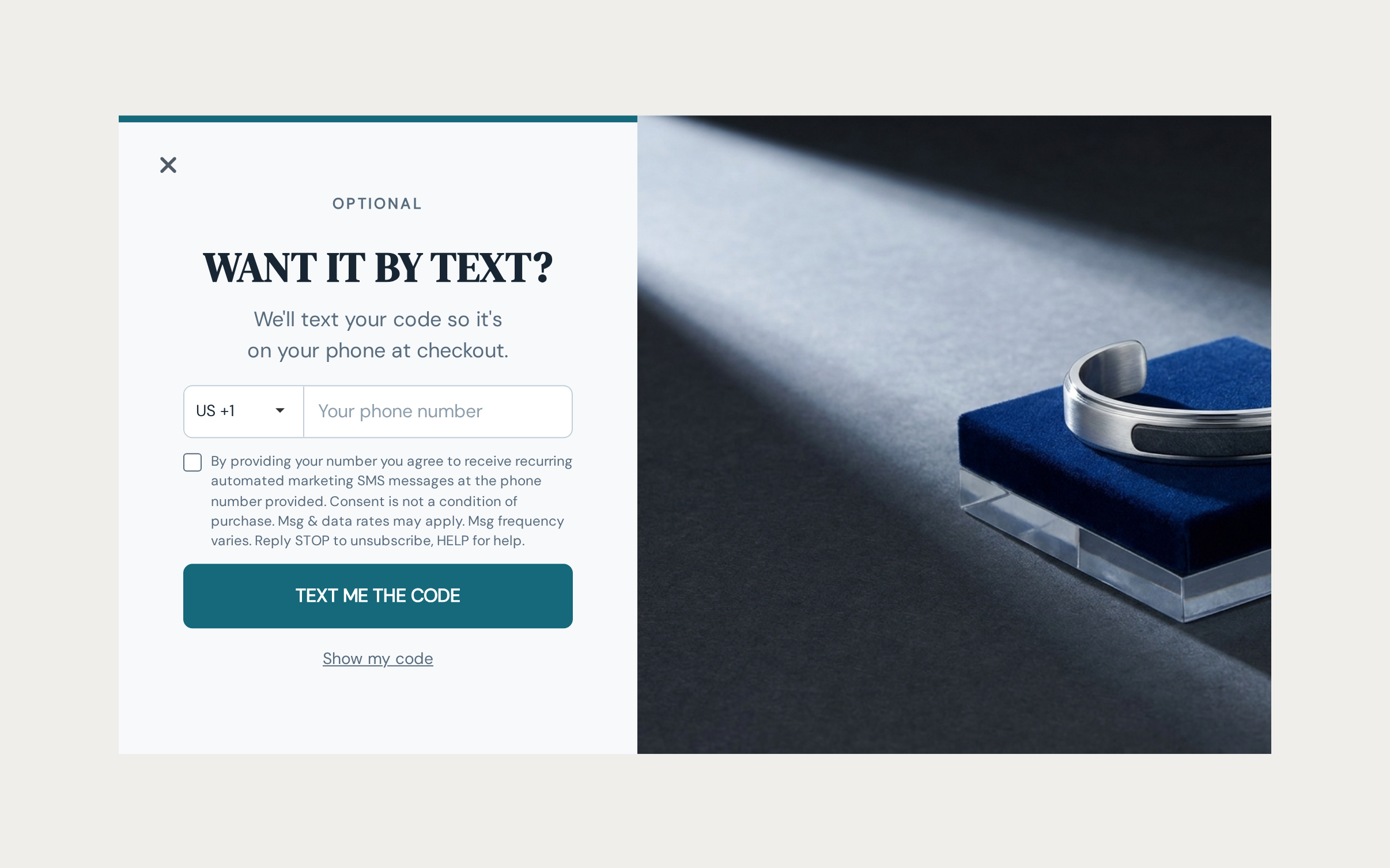
Add the Phone block
Drop a Phone block onto the page from Elements, under Form. Default Country sets which country code the field opens on, and a shopper can always switch to another one. Turn on Detect Country and OnVoard starts them on their own browser's region instead, so someone shopping from abroad isn't stuck hunting for their own country in a long list.
Placeholder is just hint text inside the empty field, optional and cosmetic. Required is the one that actually matters: turn it on and a shopper can't submit the page without a number. Leave it off on a page that's mainly selling something else, a coupon reveal, a game, so someone who doesn't want to hand over a number can still get through.
Ask for consent separately
A phone number on its own isn't permission to message anyone. That permission is a second block, Consent, sitting right next to Phone in the same Form group, not a setting tucked inside the Phone block itself.
Point Applies To at the Phone block you just added, and set Channel to SMS or WhatsApp. Each is its own permission. A shopper who opts into SMS hasn't opted into WhatsApp, so if you want both, you'll need 2 Consent blocks. Consent Field Key names this checkbox's answer on the response, which is what a sync mapping later points at.
Leave Required To Submit off unless you genuinely won't take the number without the opt-in attached. Most stores want the number either way and let consent be its own ask. Forcing it costs you shoppers who would happily have shared a number but don't want texts.
The checkbox comes with a built-in disclosure covering the legal basics for whichever channel you picked, recurring messages, rates, and how to reply STOP to opt out on SMS. It's a full rich text field, not a fixed label, so rewrite it if you want your own wording or a link to your own terms.
Where the consent actually lands
Tick the box and submit, and OnVoard records that opt-in against the phone number itself, tied to the exact channel and the exact disclosure the shopper saw. That record is your receipt if a shopper ever claims they never agreed.
Leaving the box unticked just means no permission was given. It's never read as an opt-out, so it can't cancel a "yes" the same shopper may have already given you somewhere else.
Phone alone creates no contact
Here's the part that catches people out. A Phone block and a Consent block only get you a saved response. What turns a response into an OnVoard contact, the thing a workflow or a segment can actually act on, is an email address on the same campaign, mapped under Sync. No email, no contact. Even with the number and the opt-in both sitting right there in the response data.
The consent itself isn't lost when that happens. It's still recorded against the phone number. It just has nobody to attach to yet.
The moment a contact does get created from this response, its consent links up automatically. No extra sync step needed for that part. Want the number itself on the contact record too? Map the phone field under Sync, same as you'd map email.
So if SMS or WhatsApp marketing is the point, ask for an email on the same page, or earlier in the campaign, and map it under Sync > OnVoard Contact. See Why didn't a campaign response create a contact? if you're seeing responses with numbers and no contact to match them.
What's Next
We recommend reading the following articles to further understand how you can capture and use what a campaign collects.
