
Coupon Block
The Coupon block drops a discount code into your campaign. It reveals once a shopper submits your popup, or the moment they win a spin-to-win or scratch card on a game screen. Add it from the Elements panel, under Coupon code.
Static or Unique
Every Coupon block needs a Code Type. Which one should you pick?
Static code - one code you create in your store admin and type in once. Every shopper who reveals it sees that same code, so it's the simplest setup and it works on any store.
The tradeoff: a popup visitor hasn't logged in yet. There's no per-person limit to fall back on. A code that's easy to screenshot travels past the shopper it was meant for.
Unique code - ActionPop mints a fresh, one-time code for each shopper the moment they claim it. Nobody has to share it, because nobody else has it. That's the gap.
Set the Discount (percentage off, a fixed amount off, or free shipping), and add a Minimum Purchase or Code Expiry for tighter control.
Make sure you reach for Unique on a one-time acquisition offer, where a screenshot could travel well past the shopper who earned it. A simple thank-you code for your whole list is fine on Static.
Why Unique code might not be an option
Minting a code takes a connected store that can create discounts on your behalf. If yours can, Unique code shows up as a choice. If it can't, or you haven't connected it yet, you'll only see Static. It stops you saving a setup that would quietly hand every shopper no code at all.
Why a short expiry can outlast what you set
Even though code expiry is entered in hours, sometimes the platform underneath is issued in whole days, so we round up. Set it to 1 hour and the code is good for a full day. Ask for 30 and shoppers get 2 full days, not 30 hours. Build in a buffer if you need something closer to exact hours.
Copying the code
Turn on Show Copy Button and a button sits flush against the code chip, labeled with whatever you set in Copy Button Label (Copy, by default). A shopper taps it, the code lands on their clipboard, and the button confirms it copied. From there they carry it to checkout and enter it the same way they would any coupon.
What a shopper sees, before and after
Drop a Coupon block on a normal page and it starts out showing "Your code will appear here", a placeholder, nothing more. The moment your visitor submits your form, the block swaps in their real code on its own. No extra click, no separate reveal step.
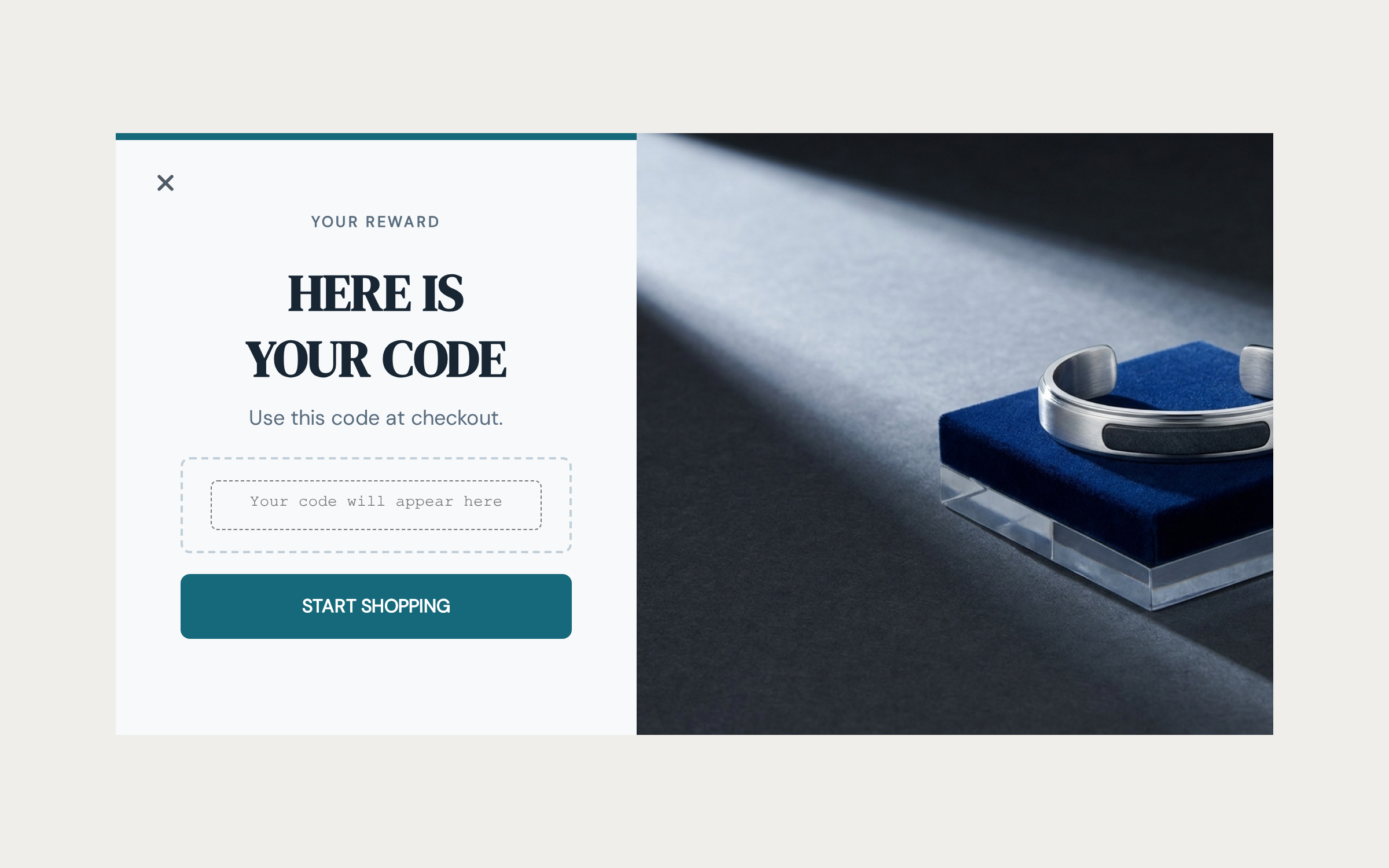
A game screen works differently. The block stays completely hidden while the wheel spins or the card scratches, then reveals with the winning code the instant the game announces the prize.
To check how that looks without playing the game yourself, open the block's own Preview tab and flip Code Revealed. That toggle only shows up for Unique codes; a Static code is already sitting there in every preview since there's nothing to allocate.
Fine print
Anything you need to disclose, a minimum spend, which products qualify, when the offer ends, goes in the block's Footnote. It's a full rich text editor, so you can bold, link and format it properly rather than cramming a disclaimer into the headline. It shows underneath the code for both Static and Unique setups.
What's Next
We recommend reading the following articles to further understand how you can customize your campaign.
