
Incentives & Games Element (Spin Wheel, Scratch Card, and Pick a Gift)
ActionPop's 3 games, Spin Wheel, Scratch Card, and Pick a Gift, live under Incentives in the block palette next to Coupon.
All 3 work the same way underneath. A visitor plays, a prize reveals, and a Coupon block you add below the game shows the actual code in your own style.
The game itself never displays a code, so pairing it with a Coupon block is the one step you can't skip.
The 3 games
They differ only in the gesture. Spin Wheel spins to a slice. Scratch Card hides a prize under a coating the visitor scratches off. Pick a Gift lets the visitor open one of several boxes.
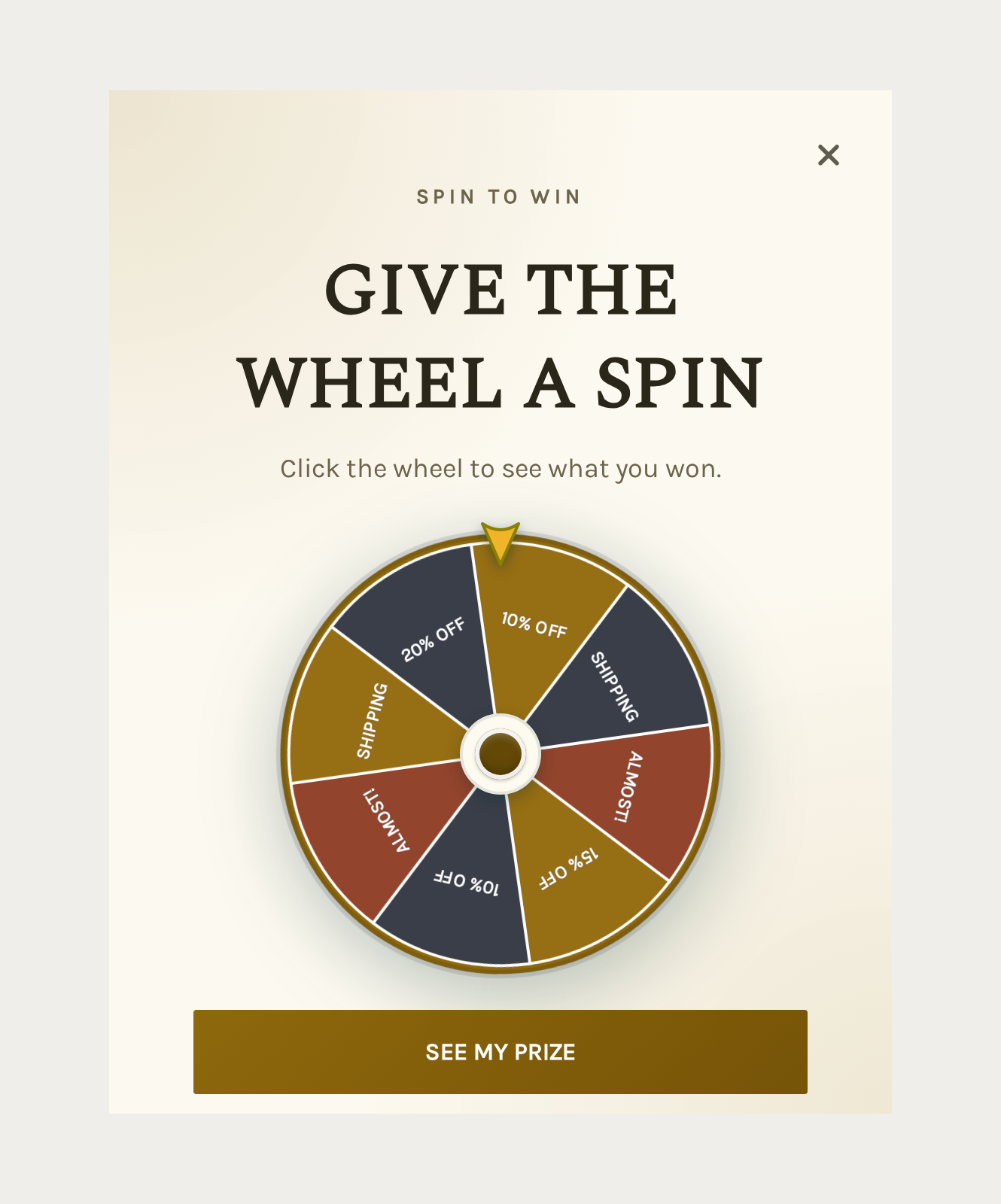
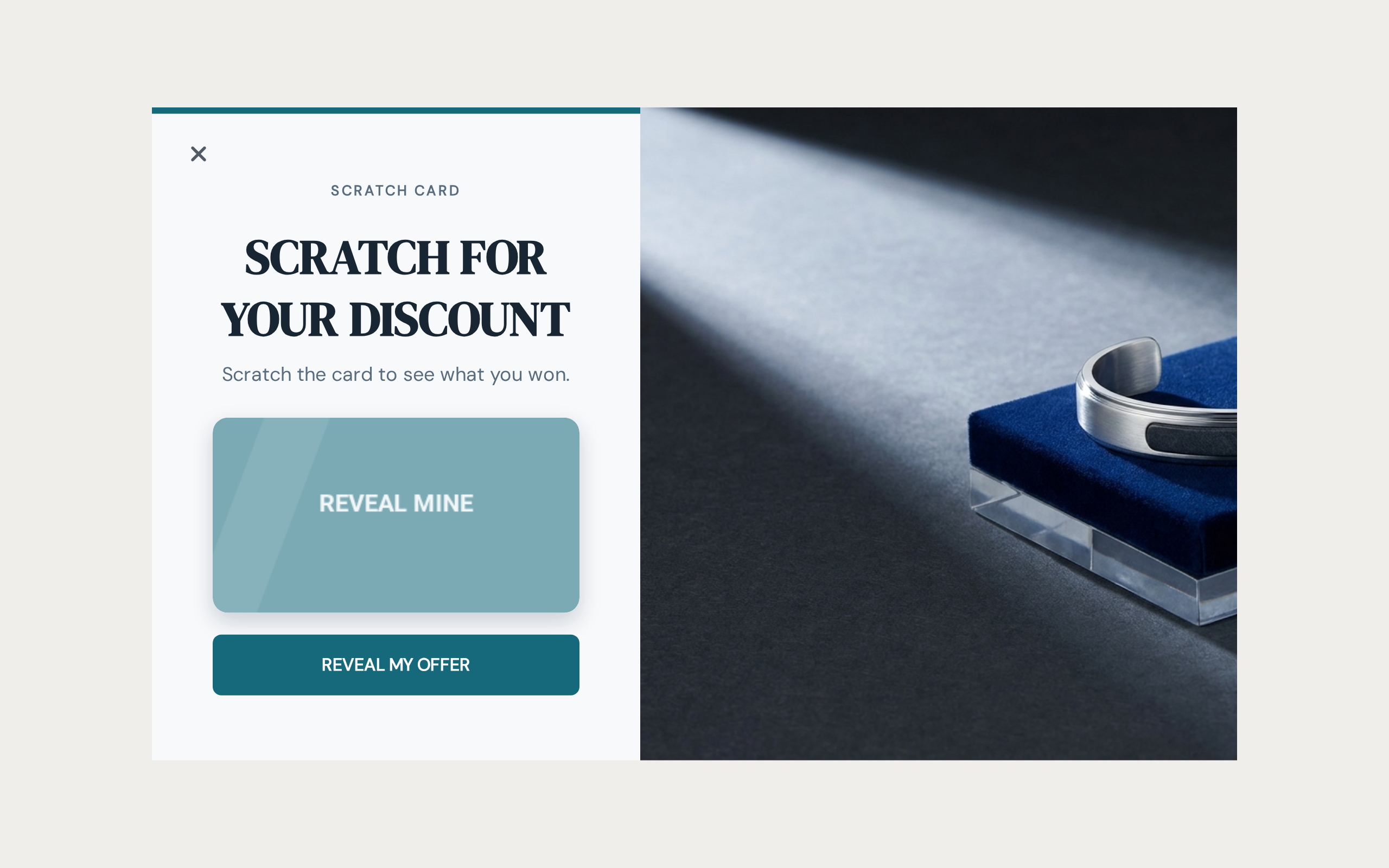
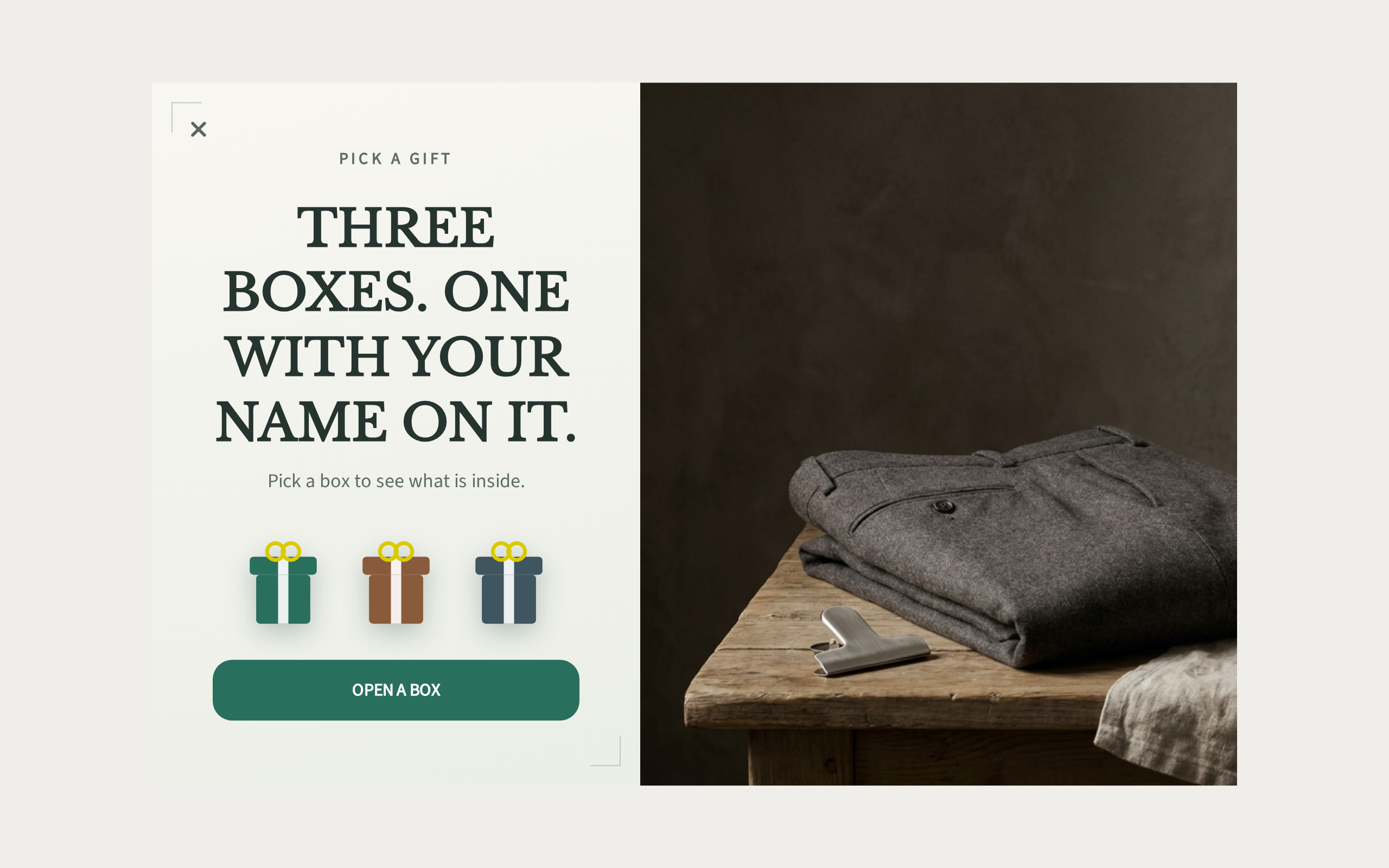
Drop any of them in and ActionPop seeds it with a working set of prizes already filled in. You're editing something real from the first click, not starting from blank fields.
Setting prizes
Each slot, a Slice on the wheel, a Prize on the scratch card, a Box in Pick a Gift, gets its own label and color. It gets a winning switch labeled Winning Slice, Winning Prize, or Winning Box, depending on the game.
Turn that off and the slot becomes a "no luck this time" outcome instead of a prize. Worth having: a wheel that only ever wins reads as fake.
Turn the switch on and 2 more fields appear. Prize is the words shown when that slot lands. Reward is where you set the coupon behind it.
Leave Prize blank and the reveal falls back to the slot's own label. A win never lands on a blank screen.
You can add up to 12 slots in total, and need at least 2, with at least one set to win.
How the odds work
Spin Wheel and Scratch Card run on Chance Weight
Every slot carries a Chance Weight. It's relative, not a percentage. A slot weighted 3 lands 3 times as often as a slot weighted 1, whatever the rest add up to.
Set a slot's weight to 0 and it can never be landed on. Handy for keeping a big prize visible on the wheel without ever giving it away.
Just don't zero out every slot at once. Nothing can win if you do.
Pick a Gift works differently
There's no draw behind it. The visitor opens a box, and whatever you set that box to hold is the prize. Full stop.
Nothing is chosen at random, so set each box up as the exact prize you want it to hold.
Win and lose messaging
A win pulls its headline from the slot itself: the Prize field if you set one, otherwise the slot's own label. If a winning slot has neither, it falls back to Win title, one shared line for any win with no prize text of its own.
Lose text works the same way, as the fallback for a losing slot with no label. Below a fresh win, Details prompt is the line nudging the visitor to enter their details and claim the code. It only shows if you haven't collected them yet.
How often a visitor can play again
Replay decides what happens the next time a visitor who already played sees the game. The default, Once per visitor, freezes the result.
Reopen the popup and you'll see the exact same prize and the exact same code. That's what stops a winner from re-spinning for something better, or claiming a fresh code on every visit.
After a cooldown relaxes that: the visitor stays locked to their result only until the wait you set has passed. Then a fresh play opens up.
Every visit removes the lock completely, so pair it with a short expiry and a per-customer usage limit on the reward itself. Otherwise the same code just gets claimed over and over.
What's Next
We recommend reading the following articles to further understand how you can customize your games.
